Marvelous Designer

Here is a support file for the new product for virtual fashion making from Marvelous Designer. I have prepared a .obj file which can directly be imported into Marvelous Designer as mannequin. Here is the short howto: …

  1. Download SL-MD-avatar.zip from our download server
  2. unpack the zip file. It contains only one file named SL-MD-avatar.obj
  3. open Marvelous Designer
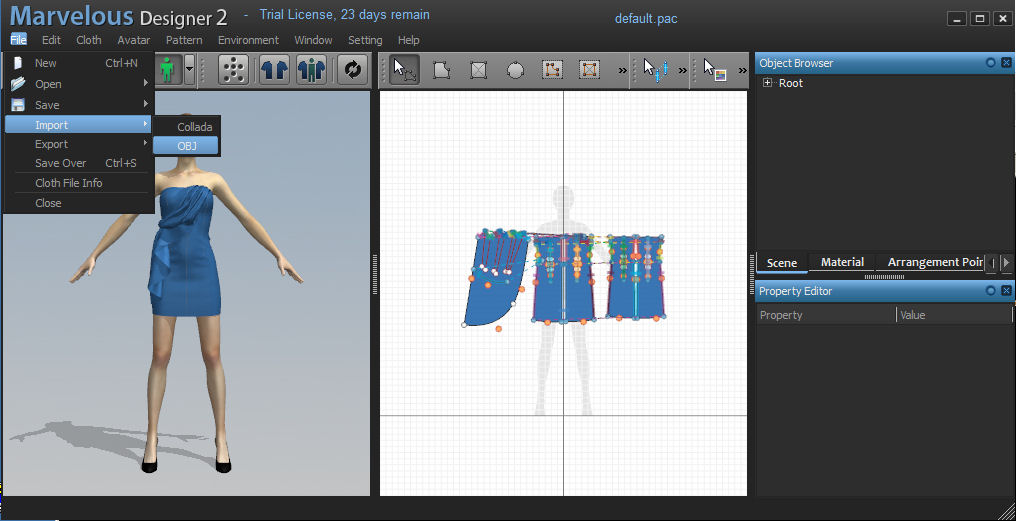
  4. Navigate to File -> Import -> Obj:
  5. Upload the file SL-MD-avatar.obj into Marvelous Designer.
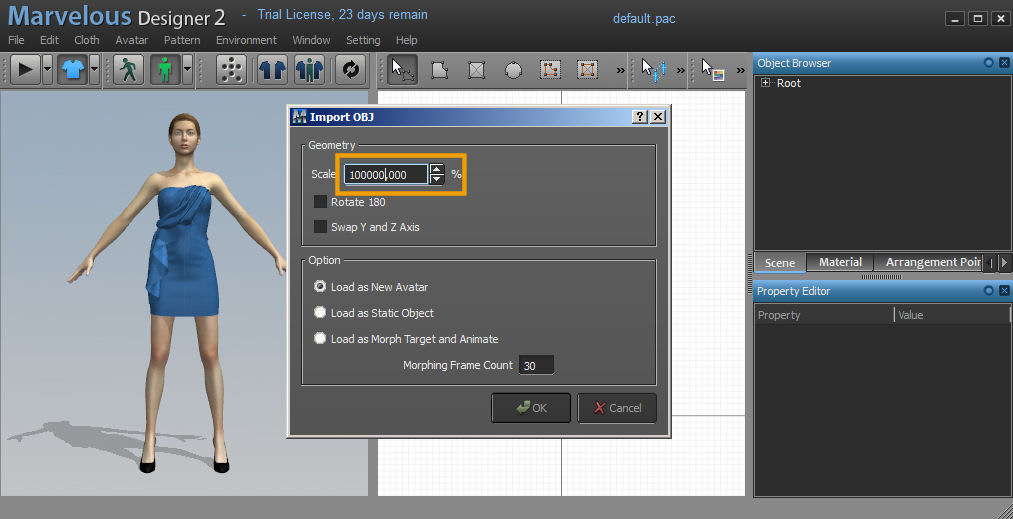
    Make sure that you set the scaling of the character to 100000,000 %:
  6. The Marvelous Designer avatar has now been replaced by the SL-avatar:
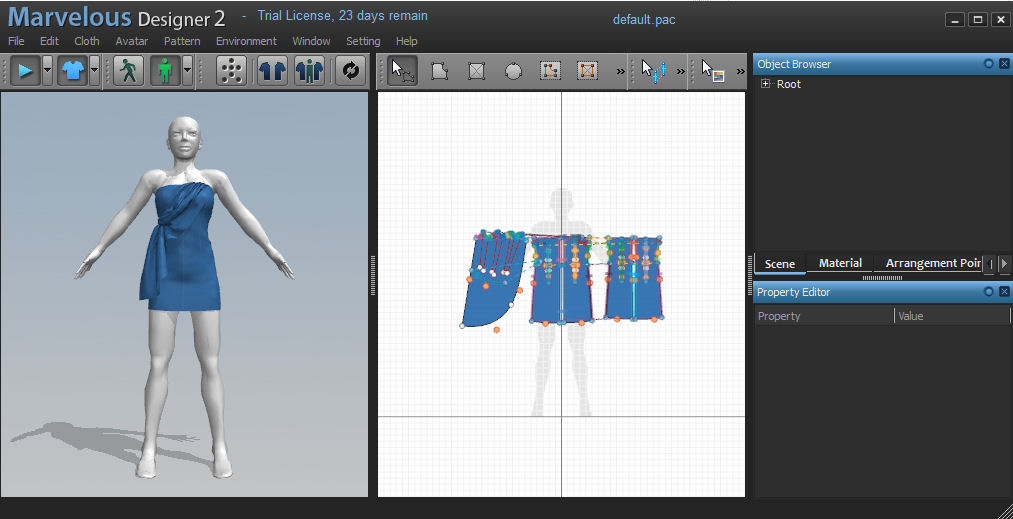
    Because of the slightly different shape the garment looks a bit borked directly after the avatar changed. You need to repeat the parts placement step once. then the garment gets adjusted to the new avatar model.

If you have blender you also can download the SL-MD-avatar.blend and later add your creation here for weighting and preparing the mesh export. This file will also be added to the upcoming new jass-release for your convenience.

have fun

Gaia

9 comments to Marvelous Designer I

  • Cristi

    Hello this tutorial doesnt work for me after I rescale to 100000,000 % i have no avatar can you please help me ?

  • RIkku Yheng

    I was curious about getting my own Second life shape into the Program is it possible to give you my shapes XML and it be turned into the proper file for the program?

  • Dylan Rickenbacker

    @Coffee and Torn: This is probably way too late for you, but I just started dabbling with Marvelous Designer 2 and importing the .obj file into Blender, and I thought nothing was showing up in Blender, just like you did. But then I found the object about a mile above the origin. Just try zooming far out and I think you’ll find it.

  • Coffee Biscuit

    Hello Gaia!
    Could you please enlighten me as to which parameters you use to re-import it back to blender?
    I’m trying to add some finishing touches and to properly prepare it for uploading the mesh, but every time I import it into blender (as a .obj) I find myself with nothing but an empty screen.
    I hope you may help me, thank you ^_^

  • Torn Difference

    When I upload it nothing comes in. I am at a loss on how to make it load. I made sure to scale it, but not working for some reason. also when exporting how do you solve the mapping issue or do you simply map it somewhere else?

    • i haven’t touched MD for several months now. It may well be that newer versions of MD do no longer match with this article. I will get back here when i find the time to continue with MD. But i have no idea when that will happen ;-(

  • Billard Lexington

    Even after successfully rigging the mesh of the clothing I made, it still wouldn’t detect bone weights in the Import Wizard. Suggestions?

  • Aki Goldenriver

    heyyy… it’s so cool you support others virtual design softwares… specially powerfull ones like this. :)

  • Great going, Gaia! So far, the only differences I note are that in looking at the adjustment dots’ layout, the knees are lower than the MD model. Everything else pretty much fits. The SL avatar’s shoulders are also bulky, thus higher, than the MD model.

Leave a Reply


You can use these HTML tags

<a href="" title=""> <abbr title=""> <acronym title=""> <b> <blockquote cite=""> <cite> <code> <del datetime=""> <em> <i> <q cite=""> <strike> <strong>